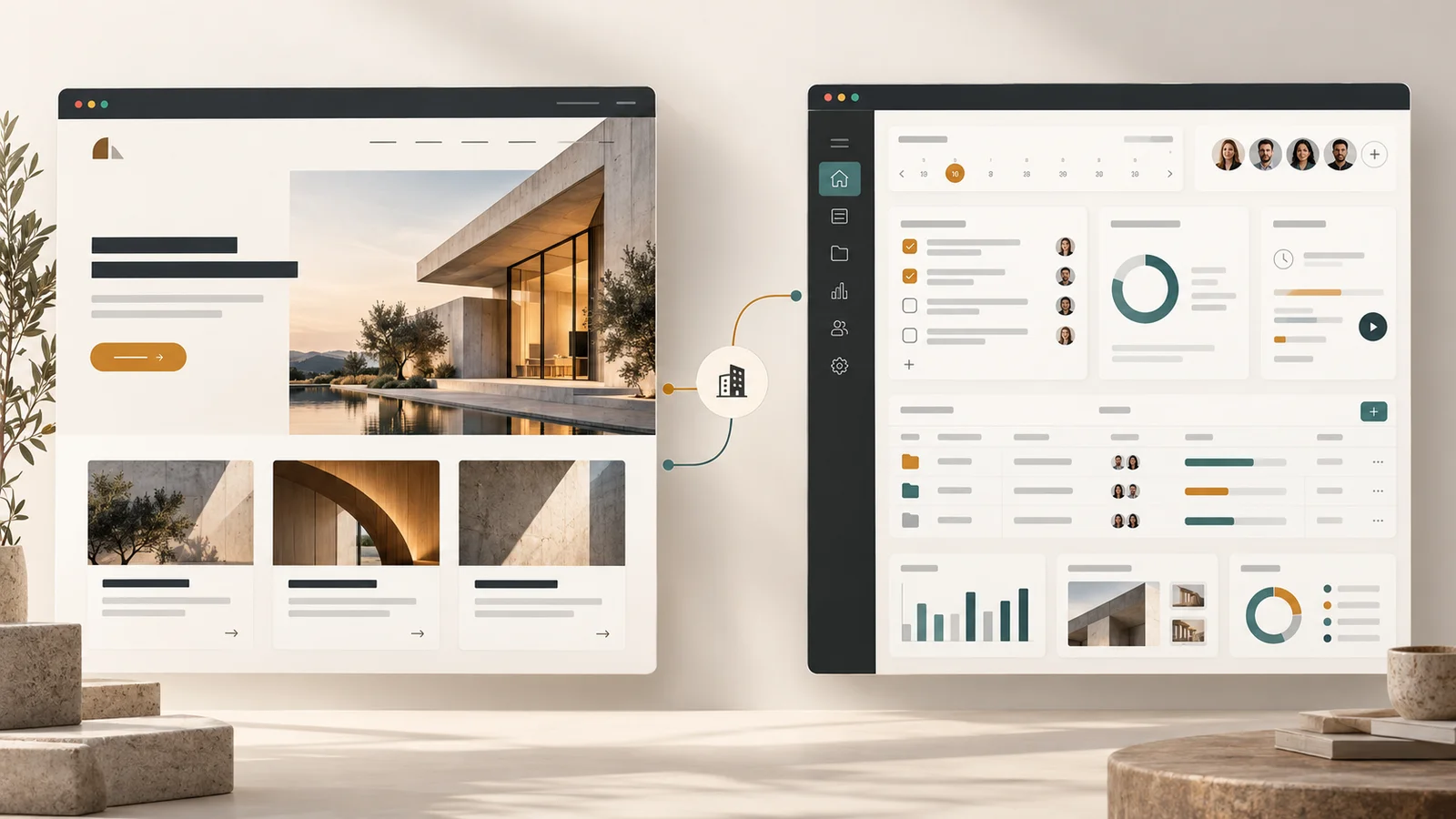
A website primarily helps people find information, understand a business, and decide what to do next. A web app primarily helps people perform tasks, manage information, or complete ongoing workflows through a browser.
The boundary is not absolute. Websites can be highly interactive, and web apps still contain pages and content. The useful question is what people need to accomplish, and what the software must do to support them.
Compare abZ Global with SelfManager.ai. Here, visitors explore services, read articles, review work, and make inquiries. SelfManager's task-management workspace is built around a different activity: organizing work, updating tasks, tracking time, and returning to information over time.
Both are accessed through the web. Their responsibilities are different, and those differences should shape the brief, budget, architecture, and maintenance plan.
What is a website?
A website is a collection of related web pages and resources. In everyday business discussions, the term usually refers to a public destination that explains something: a company, service, publication, product, or organization.
For a business website, success might mean that a visitor understands the offer, trusts the company, finds an answer, or sends a relevant inquiry. The visitor may never create an account or return to a personal workspace.
That does not make the website simple or unimportant. A substantial site can require careful content architecture, distinctive design, accessible navigation, fast delivery, search visibility, multilingual content, and integrations with other systems.
A website is often part of the sales process. If visitors cannot understand what the business does or whether it can solve their problem, a visually impressive homepage has not done its job.
What is a web app?
A web app is software people use through web technologies to accomplish tasks. Common examples include email clients, project-management tools, accounting platforms, customer portals, and collaborative document editors.
People use these systems to change something: create a document, assign work, submit an expense, approve a proposal, or update a customer record. The system must interpret those actions and produce dependable results.
Many web apps save information between visits, distinguish between users, and enforce rules about what each person can see or change. Those features are common, but they are not mandatory definitions. A useful browser-based calculator can be a small web app without accounts or a database.
The larger the workflow, the more the product must account for incomplete input, conflicting changes, failures, and recovery. The screen is only the visible part of that responsibility.
A practical example: abZ Global versus SelfManager.ai
abZ Global: helping visitors understand and choose
The abZ Global website presents services, project examples, articles, and ways to get in touch. A visitor might arrive looking for a development partner, review relevant work, compare services, and submit a project inquiry.
The main journey is about understanding and evaluation. Visitors do not need a persistent workspace to learn what premium website development includes.
There is still functionality. A contact form collects input and passes it into a process. Navigation, responsive layouts, and interactive elements also support the experience. Their presence does not mean the whole business website should be scoped as a custom software platform.
SelfManager.ai: helping users organize ongoing work
SelfManager.ai's public site describes a date-centric task-management product with daily workspaces, tables, tasks, time tracking, and AI-assisted planning and reviews. Those are product descriptions from its public pages, rather than a claim that every feature has been independently tested for this article.
The distinction appears when someone moves from learning about the product to using its workspace. They are no longer only reading about task management. They are creating and changing their own working information.
A task-management app must handle questions such as which tasks belong to which user or workspace, what happens when a task changes, and how saved information becomes available again. Where collaboration is supported, it also needs clear access rules.
SelfManager therefore illustrates both categories. Its public marketing pages are a website. Its task-management experience is a web app. One product can need both, and they do not have to share every design or engineering decision.
The difference is not static versus interactive
A common explanation says that websites are static and web apps are dynamic. That is too crude to guide a real project.
A news website can display changing content, personalized recommendations, and search results. A business site can include a quotation calculator or an appointment-booking integration. Meanwhile, a web app can serve some pages as prebuilt files.
Static delivery and dynamic generation describe how content is produced and served. Website and web app describe overlapping kinds of experiences. They are different questions.
The same applies to technology choices. Using React, Angular, or another interface framework does not automatically make a project a web app. Using a content-management system does not prevent a site from supporting meaningful functionality.
Start with the work the system must support. Select the implementation after understanding that work.
Other examples make the boundary clearer
A restaurant website and an ordering system
A restaurant's opening hours, menu, location, and private-dining information belong naturally on its website. A link to an existing reservation provider might solve the booking requirement without a custom application.
A system that manages orders, payment status, kitchen queues, delivery slots, and refunds introduces operational software. The restaurant may need those capabilities, but buying an established service could be more sensible than building them.
A consultancy website and a client portal
A consultancy website can explain expertise and help prospective clients make contact. A client portal serves a different purpose: sharing documents, tracking deliverables, recording approvals, or displaying project information.
The portal needs more than an attractive dashboard. It needs rules ensuring that one client cannot access another client's material and that an approval is recorded against the correct document or version.
An online store
An online store combines content and application behavior. Product descriptions help shoppers evaluate a purchase. Carts, checkout, inventory, orders, and customer accounts support transactions.
Calling it a website or a web app is less useful than identifying those responsibilities. An ecommerce platform may already provide much of the required functionality. Custom development should address a specific need rather than recreate standard commerce features without a good reason.
What changes the scope and cost?
Neither label is a reliable price list. A small web app can be less work than a large multilingual website. A highly customized website can involve substantial design, content, migration, and integration effort.
These questions reveal more about scope:
- How many different kinds of people use the system?
- What information must be saved, and who owns it?
- Which actions require permission or approval?
- Which external services must stay in sync?
- What happens when an action fails or is repeated?
- How serious would incorrect results or lost information be?
Consider a simple-looking approval button. Does clicking it send an email, approve one document version, update a billing milestone, notify several people, or prevent further editing? Can approval be withdrawn? What happens if someone clicks twice?
Those rules can take more engineering effort than the button's appearance suggests. Understanding them early is part of responsible scoping.
Security and maintenance belong in both budgets
A public website still needs security. Its hosting, dependencies, administration, forms, and connected services can introduce risks. Static delivery can reduce some server-side responsibilities, but it does not remove every attack surface.
For a web app handling private information, authorization becomes especially important. Signing in establishes an identity; it does not by itself establish permission to view every record or perform every action.
Maintenance also extends beyond launching the interface. Where a system stores business data or supports critical workflows, the plan should address backups, recovery, monitoring, dependency updates, and support when something breaks.
The appropriate level depends on the consequences of failure. A browser calculator and a financial approval system should not receive identical operational plans simply because both are called web apps.
Do you need a custom web app at all?
Before commissioning one, check whether an existing product solves the problem well enough. Booking systems, customer-management tools, ecommerce platforms, and collaboration software already cover many common workflows.
Sometimes a premium website connected to a few dependable services is the right solution. Sometimes a configured off-the-shelf product is enough. Sometimes the workflow is sufficiently specific or central to the business that custom software is justified.
A useful reason to build is that a clearly defined requirement cannot be met adequately by available products, or that the compromises would create meaningful operational costs. “We want a dashboard” is not yet that reason.
Identify what the dashboard enables someone to do, what decision it improves, and where its information comes from. The answers may justify an application. They may also reveal that a simpler integration would solve the problem.
How to decide what your business needs
Write down the five most important things a visitor or user must accomplish.
If the list is mainly “understand our services, inspect our work, find answers, and contact us,” start by scoping a website. Its design and content should help people make those decisions.
If the list is mainly “create a record, assign responsibility, upload documents, approve work, and return to track progress,” you are describing an application workflow.
If both lists matter, plan for both experiences. The public website can prioritize clarity and discovery, while the application prioritizes efficient, reliable use. They can share branding without forcing every screen into the same structure.
Then separate essential launch requirements from later ideas. A first release should support a useful workflow from beginning to end. An impressive collection of unfinished features is harder to evaluate and operate.
Frequently asked questions
Is every web app also a website?
In broad usage, a web app can be described as a kind of website. The terms overlap. In project planning, “web app” usefully signals software functionality and workflows that need to be specified beyond the public pages.
Does adding a login make a website a web app?
No. A login might simply restrict access to articles or downloads. What matters is the functionality behind it, the information involved, and the rules the system must enforce.
Can a website become a web app later?
Yes, functionality can be added over time. However, adding a customer portal or other substantial workflow may require new services, data models, and access controls. A separate application connected to the existing website may be more suitable than expanding the original site indefinitely.
Does a web app need an App Store download?
No. A web app is accessed through a browser. Some also offer installation-like behavior or have companion mobile apps, but neither is required for something to be a web app.
Which should a new business build first?
Build what is necessary to deliver and explain the business's offer. A consultancy may begin with a website and existing operational tools. A software company may need a working application alongside its marketing pages. There is no universal sequence independent of the business model.
Choose the outcome before choosing the label
A website can be essential commercial infrastructure. A web app can become the product itself or the system people depend on to do their work. Neither is automatically the more valuable investment.
The distinction matters when it helps define what must be built, how it will be maintained, and what success looks like. Once those responsibilities are clear, the terminology becomes much less confusing.