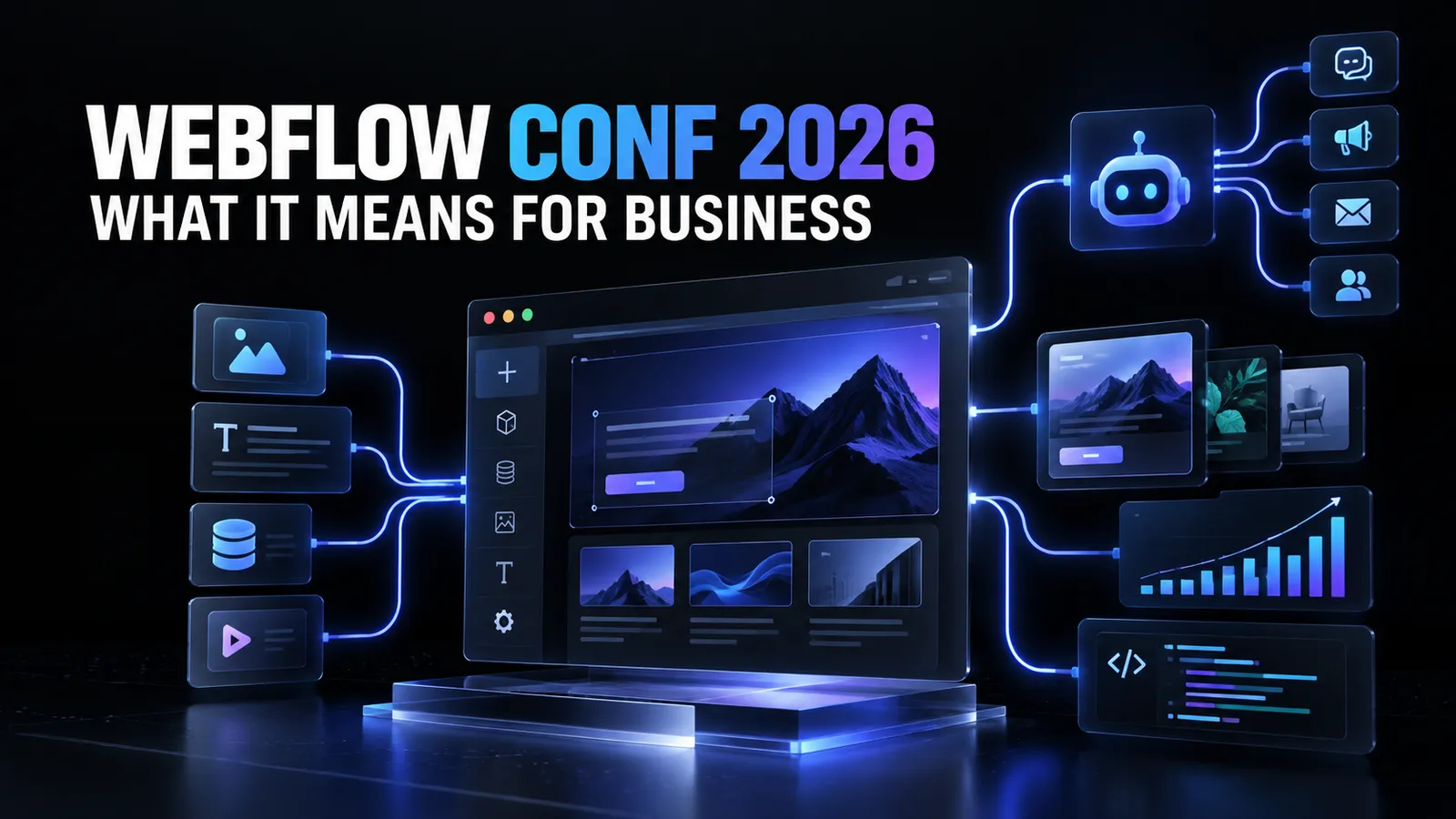
Webflow used its 2026 conference to announce much more than another collection of design features.
The larger message was that Webflow wants to become the place where marketing teams, developers, designers, and AI agents operate a company's website together. That includes building pages, creating campaign assets, managing content, improving visibility in AI search, translating websites, testing changes, and safely publishing complex updates.
For business owners, the important question is not whether every new feature sounds impressive. It is whether these changes can make a website faster to operate, easier to scale, and less dependent on slow handoffs between departments.
The short answer is yes - but many of Webflow's most ambitious announcements are still in beta, coming soon, or available only through a limited research preview.
Here is what changed, what is available, and what it could mean for businesses already using Webflow.
The Main Shift: Webflow Is Becoming More Than a Website Builder
Webflow originally became popular because it gave designers a visual way to build production websites without turning every design decision into a development ticket.
At Webflow Conf 2026, that idea expanded considerably.
Webflow is now designing its platform around a broader group of builders:
- Designers creating the customer experience
- Developers adding advanced functionality
- Marketers launching campaigns and managing content
- AI agents completing defined website tasks
- Business leaders controlling access, approvals, and brand standards
This matters because most growing companies do not struggle to come up with website ideas. They struggle to execute them quickly without creating inconsistent designs, broken pages, publishing risks, or an endless queue of developer requests.
Webflow's latest direction is an attempt to reduce that gap between an idea and a safe, production-ready result.
Webflow Conf 2026 Announcements at a Glance
UpdateStatus announced by WebflowWhy it matters to a businessSource by WebflowLimited research previewConnects code, marketing tools, visual editing, and AI agents in one environmentCampaignsBeta, with paid availability announced for the following monthHelps teams create landing pages, variants, and advertisements from one campaign briefAssetsBeta planned for October 2026Generates and adapts creative while preserving brand contextWebflow AEO content agentsAvailable to Enterprise customers, with more capabilities comingIdentifies gaps in AI-search visibility and drafts content in the CMSMCP 2.1Announced for later in September 2026Gives AI agents more control over CMS work, animations, and Webflow Cloud deploymentsReleasesBeta planned for later in 2026Lets larger teams stage and review major website changes before publishingGenerated Agent InstructionsRolling outCreates editable brand, design-system, asset, and CMS guidance for AI agentsAgent PresenceAnnounced for later in September 2026Shows where agents are working on the website in real timeVisual editing for AI code componentsAvailableLets teams visually refine custom components created with AIComponents inside CMS rich textRolled out in September 2026Makes reusable interactive and branded elements easier to add to contentBreakpoint canvasRolled out in September 2026Shows desktop, tablet, and mobile layouts together for faster reviewAgentic TranslationRolling outKeeps localized content updated across multiple languagesPerformance improvementsAvailableMakes common Designer actions, rendering, and publishing faster
The status distinctions are important. Some changes can help businesses immediately. Others show where Webflow is heading but should not yet be treated as proven production capabilities.
1. Source by Webflow Connects AI Directly to Real Code
Source was the largest announcement at Webflow Conf 2026.
It is a new platform that connects a company's codebase and marketing technology stack to a shared environment for marketers, designers, developers, and AI agents. Webflow initially supports Next.js and Astro during the research preview, with broader framework support expected later.
Unlike tools that copy a project into a separate AI environment, Source is designed to work with the code that actually ships. A developer can commit from the terminal, a marketer can make a visual change, and an agent can complete an assigned task while the work remains connected to the same underlying system.
What Source Could Mean for Businesses
The business value is not simply that AI can write code. Businesses can already access many tools that do that.
The more meaningful promise is coordinated execution.
A marketing team could gain a workspace focused on campaigns and content. Developers could continue working with the codebase and their preferred tools. Designers could maintain visual control. AI agents could complete repetitive or well-defined work within approved boundaries.
That could reduce several common problems:
- Marketing changes waiting in a development backlog
- AI-generated work becoming disconnected from the production website
- Developers having to manually recreate experiments made in separate tools
- Business owners losing visibility into who changed what
- Teams duplicating content and assets across systems
Source also includes role-specific Views, approval paths, brand systems, and audit trails. Businesses should be able to decide which changes agents may complete independently and which ones require human review.
That governance layer may prove more important than the raw AI capability. An agent that can change a production website is useful only when the company can control its access, inspect its work, and stop risky changes from going live.
Do Not Plan a Migration Yet
Source is still in a limited research preview. It should be viewed as Webflow's direction rather than a mature platform every company can adopt today.
Webflow has also stated that its existing platform is not disappearing. Companies with existing Webflow sites can continue using them, and Webflow says it will offer a supported migration path for customers who choose Source when it becomes ready.
2. Campaigns Could Shorten the Path From Idea to Live Campaign
Campaign execution often becomes a chain of dependencies.
The marketing team writes a brief. A designer creates the assets. A developer builds the landing page. Someone produces variations for different audiences. Tracking is added. The advertisements are launched. Performance data eventually comes back, and another round of updates begins.
Webflow Campaigns is intended to compress that process.
According to Webflow, a team can provide the URL of its website so an agent can identify its colors, fonts, and interface elements. The team then submits a campaign brief, receives help refining the audience and message, and generates a primary landing page with variations for different audiences, keywords, or accounts.
Campaigns can also create matching advertising assets, push work into channels such as Google Ads, track conversions, connect with HubSpot or Salesforce, and recommend changes after launch.
What This Means for Business Owners
The potential benefit is speed, but speed is not the only benefit.
Campaigns could make it more realistic for smaller teams to test multiple messages without commissioning a completely separate page for every experiment. Larger organizations could reduce handoffs between performance marketing, design, development, and operations.
However, automatically generated variations still need human judgment. Businesses should review the accuracy of claims, brand consistency, tracking setup, accessibility, and the quality of the customer journey before scaling a campaign.
AI can reduce production time. It does not decide whether the offer is good.
3. Assets Brings Brand Context Into AI Content Creation
Generating an image or video with AI is easy. Generating a large number of assets that still feel like they came from the same brand is much harder.
Webflow Assets is designed to use the context already available in a company's design system, brand variables, approved library, and performance data. Agents can then find, understand, create, and adapt assets without forcing teams to move constantly between separate creative tools.
An existing piece of creative could be adapted for another part of the website. A long video could be shortened, cleaned up, captioned, and prepared for social media. The finished asset could remain inside the same working environment.
For business owners, this could improve content velocity while reducing brand drift. The greatest value will probably appear in companies that already have a clear identity and an organized asset library.
AI works better when the source material is good. A poorly documented brand will not become consistent simply because more content can be generated.
4. Webflow AEO Expands SEO Into AI Discovery
Customers increasingly ask ChatGPT, Claude, Gemini, Perplexity, and other AI systems for recommendations before visiting a traditional search result.
Webflow is responding with Answer Engine Optimization, or AEO, tools that analyze where a brand is mentioned and cited in AI-generated answers. The platform can identify queries where competitors receive citations, show traffic referred by AI systems, and recommend changes intended to improve discoverability.
New content agents can also identify topics where competitors appear and a business does not, then prepare a brief and draft content inside the Webflow CMS.
The Opportunity and the Risk
This is valuable because AI visibility is becoming a measurable part of digital marketing. A business should know whether assistants recognize its brand, cite its expertise, and send qualified visitors to its website.
The risk is treating AEO as another excuse to mass-produce generic content.
Publishing more pages does not automatically create authority. Businesses still need original expertise, reliable claims, useful comparisons, clear product information, and content worth citing. The agent can find a visibility gap and accelerate production, but the company must supply the information that makes the final article credible.
Webflow's AEO agents are currently positioned primarily for Enterprise customers, so smaller companies should check availability and pricing before building a strategy around them.
5. MCP 2.1 Gives AI Agents More Practical Webflow Capabilities
MCP allows AI assistants and agents to interact with external platforms through structured tools. In practical terms, it lets an AI system do more than explain how to change a Webflow site - it can be given permission to work with the site.
Webflow's MCP 2.1 announcement adds several useful capabilities:
- Agents can create more complex GSAP-powered interactions
- Agents can search, sort, filter, and paginate through CMS content more effectively
- Webflow Cloud deployment errors can be surfaced to coding agents such as Codex, Claude Code, or Cursor for diagnosis and redeployment
For a business owner, the CMS improvements could make content audits, bulk reviews, and content operations faster. The animation support could reduce the time needed to build sophisticated interactions. The Webflow Cloud changes could shorten technical troubleshooting cycles.
The important word is permission.
AI agents should not receive unlimited access simply because they can complete the work. Companies need clear roles, protected publishing steps, backups, staging procedures, and a reliable activity history.
6. Releases and Agent Presence Make AI Work Safer to Review
Faster creation can create faster mistakes if publishing controls do not improve with it.
Webflow's Releases feature is intended for larger teams making complex changes. It branches the entire site, including pages, CMS content, components, assets, and localized versions. A team can stage a large launch, inspect everything together, and publish it when the complete release is ready.
The Release Manager shows what changed, who is working on it, and the current status. AI agents remain subject to the same roles and permissions used for human teammates.
Agent Presence adds another layer of visibility by showing where an agent is actively working on the canvas. This can help prevent a person from editing the same area or publishing while the agent is still completing a task.
These may sound like operational details, but they address one of the biggest barriers to business adoption of AI: trust.
Companies need more than an agent capable of making changes. They need a system that makes the agent's work visible, reviewable, and reversible before it affects customers.
7. Generated Agent Instructions Turn Existing Sites Into Context
An AI agent can generate a page quickly, but it does not automatically know a company's tone, approved components, design rules, SEO requirements, CMS structure, or mandatory legal language.
Webflow can now generate draft Agent Instructions from the information already present on a website. Available templates cover:
- Brand guidelines
- Design-system guidance
- Asset rules
- CMS content instructions
These instructions remain editable and can be regenerated as the site changes.
For businesses, this is an important move from prompting to process. Instead of explaining the brand again during every task, teams can create persistent rules that agents use repeatedly.
The generated version should still be reviewed. A website may contain old styles, temporary exceptions, inconsistent copy, or technical debt that should not become the official instruction set.
8. AI Code Components Are Becoming Easier to Control Visually
Webflow's AI Assistant can generate code components for functionality that would otherwise require custom development, such as an interactive calculator.
The major improvement announced at the conference is that these generated components can now be edited visually. A user can select an element, change styling in the Style panel, edit text on the canvas, or ask the AI to modify one specific part.
This closes an important gap between AI generation and normal Webflow editing.
Business and marketing teams gain more control over the result without repeatedly asking a developer to make small visual adjustments. Developers can still handle the architecture, business logic, performance, data handling, and unusual edge cases that require deeper technical work.
This does not eliminate custom development. It changes which tasks genuinely require it.
9. Components Inside the CMS Give Content Teams Better Building Blocks
Webflow now allows components such as testimonial blocks, calls to action, pricing sections, and interactive tools to be inserted into CMS rich-text content.
A business could create an approved component once and allow its marketing team to reuse it across articles or landing content. Each instance can expose controlled properties, such as the quote, image, name, price, or button text, without exposing the entire design.
This is especially useful for companies that publish frequently. Content creators can produce richer pages while the design system remains consistent.
For agencies and their clients, it should also make handoffs cleaner. The agency can build the system and define the permitted options. The client's team can then publish new content without recreating layouts or accidentally changing critical styles.
10. Better Guardrails Give Marketers Freedom Without Sacrificing the Brand
Webflow has added or announced several controls around reusable components:
- Visibility controls determine which components marketers can access
- Slot restrictions determine which components are allowed in a specific location
- Default components can prefill the correct element in a reserved slot
- Style props will expose selected design options while protecting everything else
This is a practical answer to a familiar business problem.
Companies want marketing teams to move quickly, but they do not want every page to become a new interpretation of the brand. Carefully designed guardrails can provide autonomy inside a safe system.
The same restrictions can also guide AI agents. A well-structured website becomes easier for both people and agents to operate correctly.
11. Breakpoint Canvas Reduces Responsive Design Mistakes
The new breakpoint canvas displays desktop, tablet, and mobile layouts side by side. When a builder changes one version, the effects can be reviewed across the other breakpoints without constantly switching between them.
This should make responsive quality control faster and reduce the risk of missed overrides. It is particularly useful when reviewing work performed by several team members or by an AI agent.
For business owners, the value is simple: fewer situations where a page looks correct on a large screen but breaks for mobile customers.
12. Agentic Translation Could Make International Growth Easier
Webflow Localize already helps companies manage multilingual websites. Agentic Translation is intended to keep translated content updated automatically when the primary language changes.
Teams can configure translation to operate more automatically or use it as a first draft that receives human review. Webflow has also added controls for tone, formality, component properties, and localized custom code.
For companies entering new markets, this could reduce a large amount of repetitive localization work. It should not eliminate native review for important sales, legal, medical, financial, or culturally sensitive content.
Translation accuracy is only one part of localization. A successful market experience may also require different offers, examples, imagery, payment methods, and legal information.
13. Performance Improvements Matter More Than They Sound
Not every valuable announcement involved AI.
Webflow reported major performance improvements in both the Designer and published websites. Its headline figures included copying large elements up to 98% faster, pasting 7.7 times faster, site rendering up to 43% faster, and publishing up to 80% faster.
These are Webflow's own maximum performance figures, so results will differ between projects. Still, improving the everyday editing and publishing experience matters to businesses because small delays multiply across every person who maintains the site.
Published-site performance can also affect customer experience, engagement, conversion, and search visibility. Businesses should continue measuring their own Core Web Vitals and real-user results rather than assuming a platform-wide improvement fixes every site-specific issue.
Will These Updates Reduce the Need for Webflow Developers?
They will reduce the need for developers to complete some routine work.
Marketers should be able to build more approved page variations, reuse richer CMS components, adjust AI-generated components, and ask agents to handle structured tasks. That is a positive development. Skilled developers should not be spending most of their time changing button text or duplicating a proven layout.
At the same time, the new tools increase the importance of the underlying system.
Someone still needs to establish:
- A scalable class and component structure
- Clean CMS architecture
- Reliable responsive behavior
- Accessibility standards
- Analytics and conversion tracking
- Integrations with business systems
- Permission and publishing workflows
- Performance standards
- Testing and quality assurance
- Clear instructions for both people and AI agents
Automation magnifies the quality of the foundation. If the website is organized well, automation can help the business scale it. If the website is inconsistent, poorly structured, or full of workarounds, AI may reproduce those problems faster.
The developer's role is moving upward - from completing every edit manually to designing the system in which marketers and agents can work safely.
What Should Businesses Using Webflow Do Now?
Most companies do not need to rebuild their website because of these announcements.
They should use this moment to evaluate whether their current site is ready for more distributed and AI-assisted work.
1. Audit the Website's Foundation
Review the component system, CMS collections, naming conventions, responsive behavior, accessibility, performance, and old custom code. New automation will be more useful on a clean system.
2. Document the Brand and Publishing Rules
Define approved components, tone of voice, legal requirements, image standards, SEO rules, and who can publish. These rules can guide employees, agencies, and AI agents.
3. Identify Low-Risk Tasks for AI
Begin with work that is easy to review, such as CMS audits, content formatting, draft variations, internal QA, or adapting an approved component. Do not begin by giving an agent unrestricted production access.
4. Separate Experimentation From Production
Use staging, approvals, roles, activity logs, and future tools such as Releases. Faster work should not mean careless publishing.
5. Evaluate Features Based on Actual Bottlenecks
A company that publishes in five languages may gain more from Agentic Translation than Campaigns. A content-heavy company may benefit most from CMS components and AEO analysis. A development-heavy organization may care more about Source, MCP, and Webflow Cloud.
Adopt the capabilities that solve a real operational problem, not simply the ones receiving the most attention.
The Bigger Business Meaning of Webflow Conf 2026
The most important announcement was not a single feature.
It was Webflow's decision to treat AI agents as participants in the website workflow, alongside marketers, designers, and developers.
That changes the purpose of the platform. The website is no longer presented as something a team builds and occasionally updates. It becomes a continuously operated business system where campaigns, content, optimization, localization, and technical work happen together.
If Webflow executes this vision well, businesses could launch faster while maintaining more control than they would get from disconnected AI website generators. The combination of visual editing, real code, reusable systems, agent access, permissions, and human approval is more important than any isolated generation feature.
But the transition is still in progress. Source is in research preview. Several products remain in beta or are scheduled for later release. Pricing, maturity, reliability, and access will determine how useful the complete system becomes outside early adopters and enterprise teams.
For current Webflow users, the immediate opportunity is practical: improve the site's foundation, give the marketing team better reusable components, document the rules, and introduce AI in controlled areas where it can remove real friction.
At abZ Global, we see these announcements as an evolution of a principle that has always produced the best Webflow projects: give business teams the freedom to move quickly, but build the structure that keeps the website consistent, reliable, and ready to scale.
Frequently Asked Questions
What Was the Biggest Announcement at Webflow Conf 2026?
The largest announcement was Source by Webflow, a new platform intended to connect a company's codebase, marketing technology, visual workflows, and AI agents. It is currently available only through a limited research preview.
Is Webflow Replacing Its Existing Website Platform With Source?
No. Webflow says its existing platform will continue receiving investment. When Source is ready, customers who want to migrate are expected to receive a supported path, but existing Webflow sites are not being forced to move now.
Can AI Agents Now Update a Webflow Website?
Yes, Webflow is expanding agent access through its MCP tools and native AI capabilities. The exact actions available depend on the feature, account, and rollout status. Businesses should use roles, permissions, review steps, and controlled publishing workflows.
Which Webflow Conf 2026 Features Are Already Available?
Available or rolling out features include visual editing for AI code components, components inside CMS content, breakpoint canvas, generated Agent Instructions, several localization controls, component guardrails, and performance improvements. Other products, including Source, Campaigns, Assets, Releases, and Agentic Translation, were announced at different preview or beta stages.
Will Webflow's AI Features Replace Agencies or Developers?
They can reduce the manual work required for routine changes, content operations, page variations, and some component creation. Businesses will still need strategy, system architecture, integrations, accessibility, performance work, governance, testing, and expert review for important production experiences.
Should a Business Rebuild Its Webflow Site to Use These Tools?
Usually not. A better first step is to audit the existing site's structure, components, CMS, performance, and publishing process. A well-organized website will be easier for employees and AI agents to operate as the new capabilities become available.
Fact-checking note: Product availability reflects Webflow's September 2026 announcements and may change as preview and beta programs expand.